VS Code (Code - OSS)
microsoft/vscodeThe open-source code editor behind Visual Studio Code
PersonalEnterpriseEditors & IDEsDesktopPermissiveAt a glance
- stars on GitHub
- 196k
- contributors
- 2.6k+
- last commit
- latest release, 6 days ago
- 1.147.0
- license
- MIT
About
Code - OSS is the open-source code behind Visual Studio Code: a code editor with editing, navigation and code understanding features, debugging, built-in Git and an extension API. Microsoft develops it in the open here, with a public roadmap and monthly iteration plans, and releases its own branded build every month. You can build it yourself or install VSCodium, a community build of the same code.
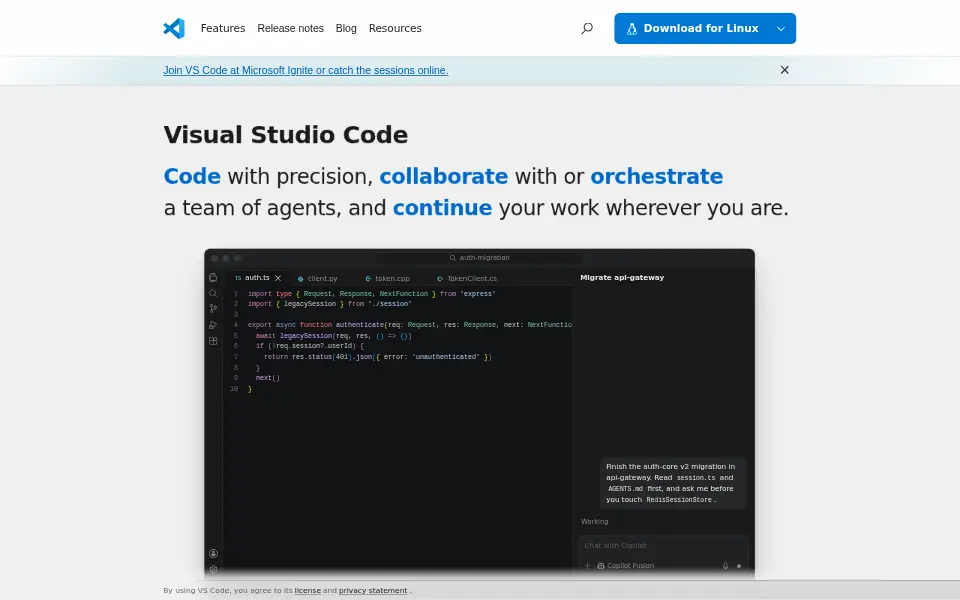
From the repository: “Visual Studio Code”
What is Code - OSS?
Code - OSS is the open-source code in the microsoft/vscode repository, under the MIT license. Visual Studio Code is Microsoft's own build of it. Microsoft adds its branding and telemetry (usage data sent to Microsoft). It also adds access to the Visual Studio Marketplace and a product license that is not open source. VSCodium is a community project. It builds the same code into ready-to-install apps, with telemetry turned off and Microsoft's branding removed. It gets extensions from the Open VSX registry instead of the Marketplace. If you build this repository yourself, you get Code - OSS.
Can Code - OSS use Visual Studio Marketplace extensions?
Not by default. A build of this repository has no Marketplace address in its product.json, and the Marketplace terms say its extensions may only be used with Visual Studio products and services. VSCodium and other community builds use Open VSX, an open registry for VS Code extensions. Some Microsoft extensions do not run outside Visual Studio Code at all: the Remote Development extensions are under a proprietary license, and the C# debugger checks that it runs inside Visual Studio Code. Extensions that use proposed APIs also cannot load in stable builds.
How do I build Code - OSS from source?
The project wiki lists the steps. You need Node.js 22 or newer (the .nvmrc file names the exact version), Python for node-gyp, and a C++ toolchain: Visual Studio Build Tools with the C++ workload on Windows, the Xcode Command Line Tools on macOS, or build-essential and a few X11, libsecret and Kerberos development packages on Linux. Clone the repository, run npm install, start npm run watch, then launch ./scripts/code.sh (scripts\code.bat on Windows). For the dev container, the README asks for at least 4 cores and 6 GB of RAM, with 8 GB recommended. The result is an unbranded editor, not Visual Studio Code.
How does VS Code compare with VSCodium, Eclipse Theia and Zed?
VSCodium, in our catalog, is the same Code - OSS source built into ready-to-install apps without Microsoft's telemetry, with Open VSX for extensions: the easiest way to get an open-source VS Code. Eclipse Theia, also in our catalog, is a framework for companies that build their own IDE for the desktop or the browser, under the EPL-2.0 license. Zed, in our catalog too, is a separate editor from the creators of Atom and Tree-sitter, built for speed and real-time collaboration. Neovim, also in our catalog, suits people who prefer a keyboard-driven editor in the terminal.
Is Visual Studio Code open source?
The code in this repository is, under the MIT license, so Code - OSS and builds such as VSCodium can be used, changed and shared freely. Visual Studio Code, the download from Microsoft, uses Microsoft's own product license instead. It allows you to use the editor to develop and test your applications, including inside a company network, but not to share, rent or resell the software. The license says the editor collects usage data and that you can opt out of many of these scenarios, but not all. Setting telemetry.telemetryLevel to off stops VS Code's own telemetry; extensions may still collect their own.
Why it's in the catalog
Most people should simply install Visual Studio Code or, to avoid Microsoft's telemetry and product license, VSCodium. Build Code - OSS yourself only to contribute, to study the editor or to make your own product on top of it. Expect gaps outside Microsoft's build: no Visual Studio Marketplace, and some Microsoft extensions, such as Remote Development and the C# debugger, do not work.
Get it
git clone https://github.com/microsoft/vscode.git
cd vscode
npm install
npm run watch
# in a second terminal:
./scripts/code.sh
brew install --cask vscodium
winget install -e --id VSCodium.VSCodium
Downloads
All releases on GitHub ↗Latest release: 1.147.0,
Source code only: this release has no files to download.
Alternatives
All alternatives →| Project | Stars | Last commit | License | Worth |
|---|---|---|---|---|
 VS Code (Code - OSS)This project | 196k (best) | MIT | 86 (best) | |
 theiaCloud and desktop IDE framework | 22k | EPL-2.0 | 77 | |
 VSCodiumVS Code without Microsoft telemetry | 34k | MIT | 78 | |
 notepad-plus-plusSource code editor and Notepad replacement for Windows | 30k | Custom (read before use) | 73 | |
 notepad4Light-weight Scintilla-based text editor for Windows | 5.1k | Custom (read before use) | 61 |
▲ marks the most stars and the best worth score.