WinUtil
ChrisTitusTech/winutilWindows utility to install apps and apply tweaks
PersonalDeveloper toolsDesktopPermissiveAt a glance
- stars on GitHub
- 67k
- contributors
- 285+
- last commit
- latest release, 2 weeks ago
- 26.11.13
- license
- MIT
About
WinUtil is a PowerShell script with a graphical window for setting up a Windows PC from one place: install apps through WinGet or Chocolatey, apply privacy and performance tweaks, run common repairs and choose how Windows Update behaves. Presets (Minimal, Standard, Advanced) allow unattended runs, and a built-in tool creates a debloated Windows 11 installation image.
From the repository: “Chris Titus Tech's Windows Utility - Install Programs, Tweaks, Fixes, and Updates”
What does Chris Titus Tech's WinUtil do?
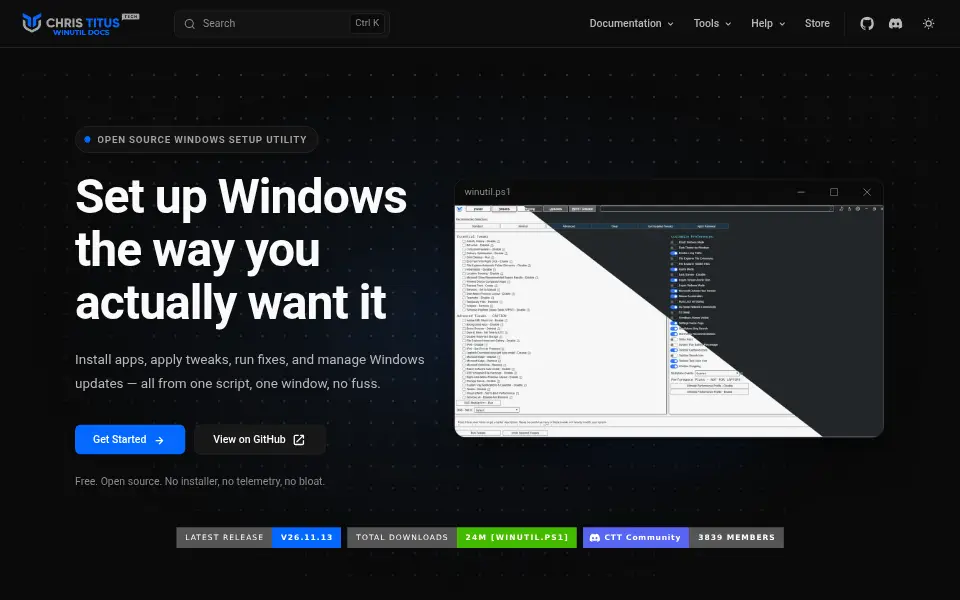
WinUtil opens a window with four main tabs. Install lets you pick common apps and installs them through WinGet or Chocolatey, without bundled offers. Tweaks groups changes such as turning off telemetry, Activity History and Bing results in Start, removing Widgets or OneDrive, and debloating Edge. Config holds Windows features and one-click repairs for networking, Windows Update and WinGet. Updates switches between normal updates, security updates only, or paused updates. It can also build a customized Windows 11 ISO. It is made for people setting up a new PC or reinstalling Windows.
Is WinUtil safe to use?
WinUtil is an open-source script, so you can read every change before you run it, and its website says it sends no telemetry. It must run as administrator and makes system-wide changes, so be careful. Most tweaks can be undone from the same panel, and there is a "Restore Point - Create" tweak; it is not selected by default, so tick it first. Tweaks in the "Advanced Tweaks - CAUTION" group, such as removing Edge or OneDrive, are harder to reverse. The command irm https://christitus.com/win | iex downloads and runs the latest release, so use it only from the official address.
What are the alternatives to WinUtil?
Win11Debloat, in our catalog, is a smaller PowerShell script focused on removing preinstalled apps, telemetry and interface clutter on Windows 10 and 11, and its README says all its changes can be reverted. UniGetUI, also in our catalog, is a graphical front end for WinGet, Scoop, Chocolatey and other package managers; choose it if you mainly want to install and keep apps updated over time. Sophia Script is a PowerShell module for fine-tuning Windows 10 and 11, and tiny11builder builds smaller Windows 11 images. Those two are not in our catalog yet.
What are the limits of WinUtil?
It works only on Windows, needs administrator rights and will not start when PowerShell runs in Constrained Language Mode, which some company PCs enforce. Windows updates can break tweaks: the known-issues page says the Start menu revert stopped working after a May 2026 update removed the old Start menu code, and an open bug reports tweaks failing on a Windows 11 26H2 build. PowerShell 7 installed from the Microsoft Store can cause "Class not registered" errors, so install it with winget instead. The Ultimate Performance power plan does not apply on some laptops.
Is WinUtil free?
Yes. The script is under the MIT license, so you can use, copy and change it, including at work, and there is no account or installer. The project is funded by sponsors. Chris Titus Tech also sells a separate, faster .NET version of the tool in his online store, and sponsors with a recurring subscription get access to it. The free PowerShell version in this repository is the one the documentation describes, and it has stable releases plus a development branch (irm https://christitus.com/windev | iex).
Why it's in the catalog
A good first stop after a clean Windows install if you want apps, privacy settings and updates handled from one window, and you are willing to read what each tweak does. Create a restore point first and leave the Advanced tweaks alone unless you know what they change. If you only want to remove preinstalled apps and telemetry, Win11Debloat is smaller.
Get it
irm https://christitus.com/win | iex
& ([ScriptBlock]::Create((irm https://christitus.com/win))) -Preset Standard
Downloads
All releases on GitHub ↗Latest release: Release 26.11.13, . Its files were downloaded 373,594 times.
All files (1)
Other files
- winutil.ps11.2 MB · 374k downloads
These files come from the project's GitHub release. DigGitHub does not check them.